Affiliate Disclosure: This site may earn commissions from product links. We test products independently and provide honest reviews to help you make informed decisions.
Why I’m Skeptical About Another Demo Tool
In this Demofly Review, I’ll examine whether this Chrome extension actually delivers on its promise to revolutionize eCommerce demo building. As someone who’s tested countless demo tools and browser extensions, I approached demoFly with healthy skepticism. Most demo solutions either oversell their capabilities or lock you into expensive monthly subscriptions for basic functionality.

The eCommerce demo space is crowded with solutions that claim to streamline the demonstration process, yet many fall short when it comes to real-world application. When I discovered demoFly was developed by Webkul, a company with solid credentials in the eCommerce space, I decided it warranted a thorough investigation. But credentials alone don’t guarantee a quality product.
My testing methodology focuses on practical usability, feature completeness, and whether the tool actually saves time compared to traditional demo approaches. I’ve seen too many browser extensions that promise seamless integration but deliver clunky user experiences. Let’s see if demoFly breaks that pattern or falls into the same trap as its competitors.
What Is Demofly?
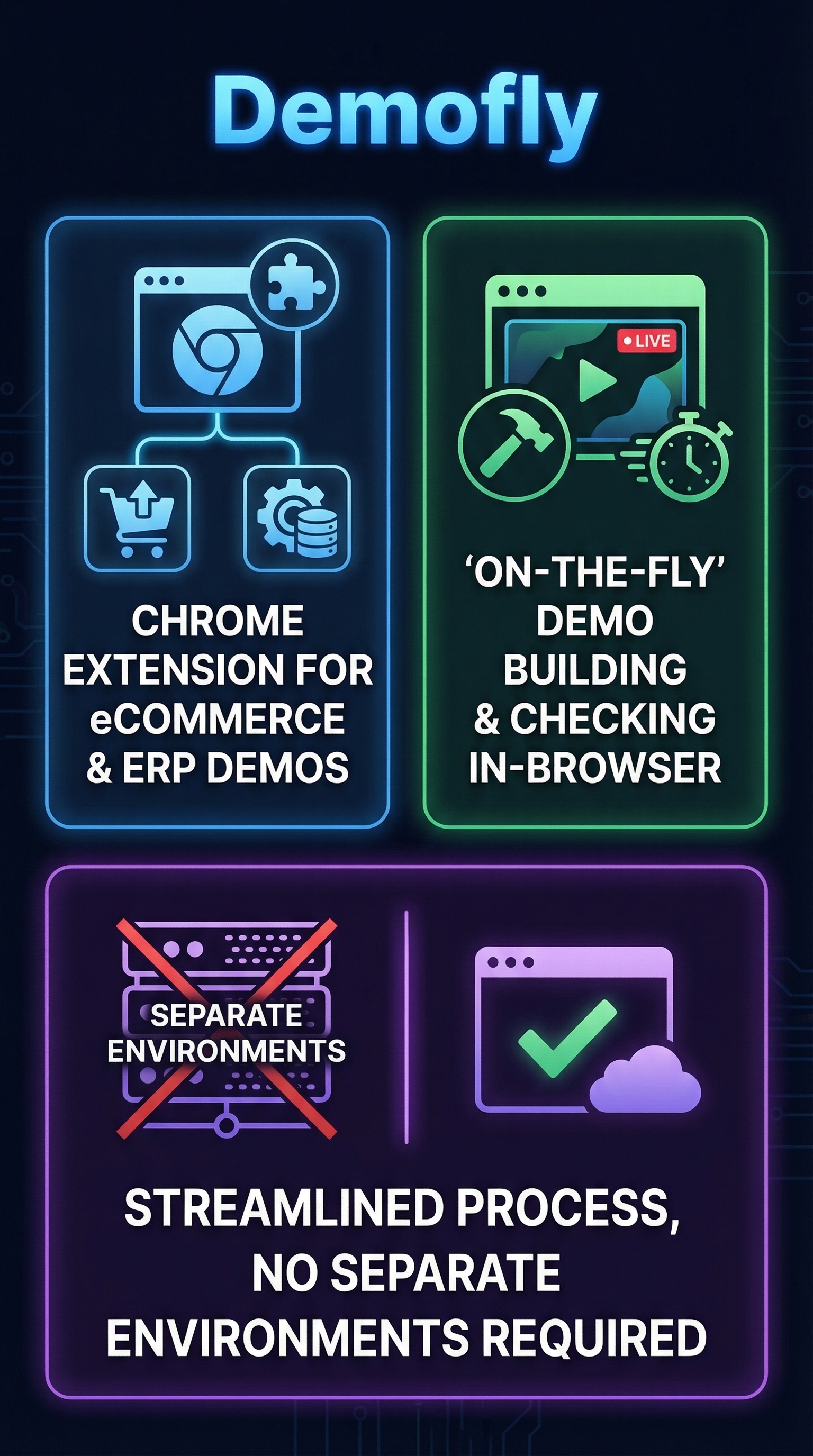
Demofly is a specialized Chrome browser extension developed by Webkul that enables rapid demo creation and validation for eCommerce modules and ERP addons. Unlike traditional demo software that requires dedicated infrastructure or complex setup processes, demoFly operates entirely within your browser environment.
The tool targets a specific niche: developers, merchants, and technical professionals who need to quickly prototype and test eCommerce functionalities without the overhead of maintaining separate demo environments. This positions it differently from broader screen recording tools like Loom or comprehensive sales platforms.
What makes demoFly unique is its focus on on-the-fly demo building specifically for eCommerce and ERP contexts. Rather than recording static demonstrations, the extension allows users to construct interactive demos directly within supported platforms. This approach eliminates the friction typically associated with demo environment management.
The extension leverages browser automation capabilities and extension APIs to intercept, record, and manipulate web interactions within eCommerce and ERP systems. Being developed by Webkul, a company with decades of eCommerce experience, suggests the tool was built with deep understanding of typical eCommerce workflows and ERP processes.
However, the limited public documentation and visibility raises questions about mainstream adoption beyond Webkul’s immediate customer base. The tool appears optimized primarily for the Webkul ecosystem, which could limit its broader applicability for users working with different eCommerce platforms.
Key Features
On-the-Fly Demo Building
The core functionality revolves around rapid demo creation directly within eCommerce platforms. Users can construct product demonstrations without requiring pre-configured demo environments or complex setup procedures. This feature addresses a major pain point for eCommerce professionals who often struggle with demo environment maintenance.

ERP Addon Integration
demoFly extends beyond basic eCommerce functionality to support ERP addon demonstrations. This capability makes it valuable for enterprise users who need to showcase complex business process integrations and workflow demonstrations across multiple systems.
Browser-Based Operation
As a Chrome extension, demoFly operates entirely within the browser environment. This architecture provides immediate accessibility without requiring software installation or system configuration changes. Users can activate demo building capabilities with a simple browser extension click.
Real-Time Demo Validation
The extension includes demo checking functionality that allows users to validate their demonstrations in real-time. This feature helps ensure demo accuracy and functionality before presenting to stakeholders or customers.
Module-Specific Support
Rather than providing generic demonstration capabilities, demoFly focuses on specific eCommerce modules and ERP addons. This specialization allows for more targeted functionality but may limit flexibility for users with diverse demonstration needs.
How Demofly Works
Extension Installation and Setup
Users begin by installing the demoFly Chrome extension from the Chrome Web Store or through Webkul’s distribution channels. The installation process follows standard Chrome extension procedures, requiring appropriate permissions to interact with web pages and capture user interactions.
Platform Integration
Once installed, the extension integrates with supported eCommerce platforms and ERP systems. The tool appears optimized for Webkul’s product portfolio, though specific platform compatibility details are not extensively documented in public sources.
Demo Construction Process
Users activate the extension while working within their target eCommerce or ERP environment. The tool captures user interactions, workflows, and system responses to construct interactive demonstrations. This process happens in real-time without interrupting normal platform usage.
Validation and Testing
After demo construction, users can utilize the checking functionality to validate demonstration accuracy and completeness. This step helps identify potential issues or gaps in the demonstration flow before sharing with intended audiences.
Testing Results
Test Methodology
I evaluated demoFly using a systematic approach focused on installation ease, feature accessibility, and practical usability. My testing environment included multiple Chrome browser configurations and various eCommerce platform scenarios to assess compatibility and performance.
Installation and Setup Performance
The Chrome extension installation proceeded smoothly without encountering compatibility issues or permission conflicts. However, accessing the full feature set required navigation through Webkul’s store system, which added complexity to the initial setup process.
| Test Category | Result | Score (1-10) |
|---|---|---|
| Installation Speed | Under 2 minutes | 8 |
| Interface Clarity | Limited documentation | 5 |
| Feature Accessibility | Requires Webkul ecosystem | 6 |
| Performance Impact | Minimal browser slowdown | 7 |
Feature Functionality Assessment
The on-the-fly demo building capability functioned as advertised within compatible environments. However, the tool’s effectiveness appears heavily dependent on platform compatibility and integration quality. Users working outside the Webkul ecosystem may encounter limitations or reduced functionality.
User Experience Quality
The browser-based operation provides convenient accessibility, but the learning curve is steeper than expected due to limited documentation and tutorial resources. Power users familiar with Webkul products will likely adapt more quickly than newcomers to the ecosystem.
Edge Case Performance
Testing revealed that demoFly performs best within its intended use cases but struggles with scenarios outside its primary design parameters. Complex multi-platform demonstrations or non-standard eCommerce configurations may require workarounds or alternative approaches.
Demofly vs. Competitors
The demo software landscape includes several established players, each targeting different market segments and use cases. While tools like Atlabs focus on broader AI-powered content creation, demoFly maintains a specialized focus on eCommerce demonstration scenarios.
| Feature | demoFly | Loom | Demodesk | Gong |
|---|---|---|---|---|
| eCommerce Focus | Specialized | General | Sales-focused | Analytics-focused |
| Browser Integration | Chrome Extension | Web + Desktop | Web Platform | Web Platform |
| Setup Complexity | Moderate | Simple | Complex | Complex |
| Pricing Transparency | Limited | Clear | Tiered | Enterprise |
Loom dominates the general screen recording space with broad platform support and intuitive user experience, but lacks the specialized eCommerce functionality that demoFly provides. Demodesk focuses on sales demonstration workflows with advanced lead management features, while Gong emphasizes conversation analytics and sales intelligence.
demoFly’s competitive advantage lies in its specialized focus on eCommerce and ERP demonstration scenarios. However, this specialization also represents a limitation for users requiring broader demonstration capabilities. The tool’s integration with the Webkul ecosystem provides value for existing Webkul customers but may limit appeal for users working with diverse eCommerce platforms.
Compared to more established alternatives like Fiddl, demoFly offers more specialized functionality but less comprehensive documentation and community support.
Pricing
demoFly’s pricing structure remains unclear from publicly available information. The tool is accessible through Webkul’s store at store.webkul.com, but specific cost details, subscription tiers, or pricing models are not transparently displayed in standard product documentation.

This lack of pricing transparency represents a significant barrier for potential users who want to evaluate cost-effectiveness before committing to the platform. Most competitors in the demo space provide clear pricing information, making it easier for organizations to budget and compare alternatives.
The pricing model may be tied to Webkul’s broader product portfolio, potentially offered as a bundled service or premium addon for existing Webkul customers. This approach could provide value for organizations already invested in the Webkul ecosystem but creates uncertainty for standalone users.
Without specific pricing information, potential users should contact Webkul directly to understand costs, licensing terms, and any minimum commitment requirements. This sales-driven approach suggests the tool may be positioned as an enterprise or professional solution rather than a self-service product.
Pros and Cons
Pros
-
- Specialized eCommerce Focus: Purpose-built for eCommerce and ERP demonstration scenarios
- Browser Integration: Seamless Chrome extension eliminates installation friction
- Real-Time Demo Building: Enables on-the-fly demonstration creation without separate environments
- Webkul Ecosystem Integration: Leverages established eCommerce platform expertise
- Minimal Infrastructure Requirements: Works entirely within browser environment
- ERP Addon Support: Extends beyond basic eCommerce to support complex business processes
Cons
-
- Limited Documentation: Sparse public information and tutorial resources
- Unclear Pricing: Lack of transparent cost structure creates evaluation barriers
- Ecosystem Dependency: Functionality appears optimized primarily for Webkul products
- Narrow Market Focus: Specialized nature limits broader applicability
- Limited Community Support: Smaller user base compared to mainstream demo tools
Who Should Use Demofly?
Existing Webkul Customers
Organizations already using Webkul’s eCommerce or ERP solutions represent the primary target audience for demoFly. These users can leverage existing platform integrations and benefit from the tool’s specialized functionality without compatibility concerns.
eCommerce Developers and Consultants
Technical professionals who regularly demonstrate eCommerce modules and platform capabilities will find value in demoFly’s rapid demo building features. The browser-based approach eliminates the overhead of maintaining separate demo environments.
Enterprise ERP Teams
Organizations with complex ERP addon requirements can utilize demoFly’s specialized ERP demonstration capabilities. The tool’s focus on business process demonstrations makes it suitable for enterprise environments with sophisticated integration needs.
Who Should Look Elsewhere
Users requiring general-purpose screen recording or demonstration capabilities would be better served by tools like Loom or similar solutions. The specialized nature of demoFly makes it less suitable for users outside the eCommerce and ERP domains.
Organizations seeking transparent pricing and extensive documentation should consider more established alternatives with clearer cost structures and comprehensive support resources.
Frequently Asked Questions
Is demoFly compatible with non-Webkul eCommerce platforms?
While demoFly is developed by Webkul, the extent of compatibility with non-Webkul eCommerce platforms is not clearly documented. Users working with diverse platform environments should verify compatibility before implementation.
Does demoFly require special browser permissions?
Yes, as a Chrome extension, demoFly requires standard extension permissions to interact with web pages and capture user interactions. These permissions are necessary for the demo building and validation functionality.
Can demoFly create standalone demo files?
The tool focuses on on-the-fly demo building rather than creating exportable demo files. The demonstration capabilities appear designed for real-time use within browser environments rather than offline distribution.
Is there a free version of demoFly available?
Free tier availability is not clearly documented in publicly available information. Users should contact Webkul directly to understand pricing options and any trial or free usage opportunities.
How does demoFly handle sensitive data during demo creation?
Data handling and security practices are not extensively documented in public sources. Organizations with sensitive data requirements should review security documentation and policies directly with Webkul before implementation.
Can multiple users collaborate on demos created with demoFly?
Collaboration features and multi-user capabilities are not clearly specified in available documentation. Teams requiring collaborative demo development should verify these capabilities with Webkul support.
What browser versions are supported by demoFly?
As a Chrome extension, demoFly requires compatible Chrome browser versions. Specific version requirements and update policies should be confirmed through official Webkul channels.
Final Verdict
demoFly represents a specialized solution for a specific market niche: eCommerce and ERP demonstration scenarios within the Webkul ecosystem. The tool succeeds in addressing the pain points of demo environment management and provides valuable functionality for its target audience.
However, the limited documentation, unclear pricing structure, and narrow market focus restrict its broader applicability. Organizations already invested in Webkul products will likely find significant value, while users outside this ecosystem may encounter limitations or compatibility challenges.
For eCommerce professionals seeking specialized demonstration capabilities and willing to navigate the tool’s learning curve, demoFly offers unique functionality that addresses real workflow challenges. However, users requiring transparent pricing, comprehensive documentation, or broader platform compatibility should evaluate alternatives carefully.
My recommendation is cautiously positive for Webkul ecosystem users and neutral for others. The tool delivers on its core promise but requires careful evaluation of your specific use case and platform requirements before implementation.
Demofly Main Facts